Shareaholic – always!

Thinking? Writing? BLogging?  Sharing?  That’s what Web 2.0 media is all about ~ it’s continually getting easier to share our online learning experiences with others 🙂

Thinking Beta – that’s what it is! Always thinking, always learning, always expecting change.

Rather later than others I know, I’ve discovered a useful addition to my Firefox suite of online tools in Shareaholic. I’m sure I’ve spotted @buffyhamilton using it!

Shareaholic supports 100+ destination services. Make sure you setup your favorite services from the options menu so that Shareaholic works exactly the way you want it to. The latest update tells me that the service is just getting better and better.

I recommend you give it a try. Perhaps you’d like to share your experiences if you’re an ‘old hand’.

Become a Kindle author!

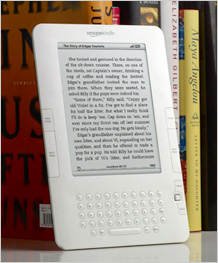
The Amazon Kindle is not just a device for reading paperless books and newspapers. It’s also an ecosystem for writers who want to publish their works without dealing with book publishers.

In a recent CNet report, I found out that authors worldwide can now  self-publish Kindle versions of their books or documents. The self-publishing digital text platform, which allows writers to upload electronic versions of their books to Amazon’s e-book reader store, was previously limited to English and to authors based in the United States.

There’s a cost of course, and only 35% of the sales revenue ends up in your pocket – plus Amazon reserves the right to sell your book at a discount. Ouch!

Blogs and newspapers can also be read on the Kindle, but as  yet there’s no self-service way for bloggers to put their work on the Amazon store. Just as well!

Still, an interesting development don’t you think?

Google Earth across the Curriculum

Many teachers hear “Google Earth” and think it’s only something that social studies or geography teachers can use.

But, in fact Google Earth can be used across the curriculum. Thanks to Richard Byrne, Free Technology 4Teachers, for creating and sharing this document!

Watch out for the next instalment – Richard is working further on this. Follow Richard on Twitter to hear his alerts or add his blog to your RSS reader.

UPDATE: An alert on Facebook from Stephen Heppell pointed me to Google Earth Lessons. Thanks Stephen!

2010 Horizon Report ~ read it!

2010-Horizon-Cover-320The annual Horizon Report has been released, and should be on the reading list of all teachers and librarians around the nation. The Horizon Report is a global effort ~ reflecting the essential global dimensions and impacts on learning of emerging technologies.

For those who are new to the Horizon Report, since March 2002, under the banner of the Horizon Project, the New Media Consortium has held an ongoing series of conversations and dialogs with hundreds of technology professionals, campus technologists, faculty leaders from colleges and universities, and representatives of leading corporations from more than two dozen countries. In each of the past six years, these conversations have resulted in the publication each January of a report focused on emerging technologies relevant to higher education.

Each time a report is undertaken, the NMC uses qualitative research methods to identify the technologies selected for inclusion in that report, beginning with a survey of the work of other organizations and a review of the literature with an eye to spotting interesting emerging technologies.

What’s on the Horizon?

Technologies to Watch
One Year or Less: Mobile Computing
One Year or Less: Open Content
Two to Three Years: Electronic Books
Two to Three Years: Simple Augmented Reality
Four to Five Years: Gesture-Based Computing
Four to Five Years: Visual Data Analysis Methodology

Download the 2010 Horizon Report (316k PDF)

Another Great Twitter Guide

Twitter can be confusing at best, and downright intimidating to many newcomers.

This guide should give you the basics you need to get more out of Twitter, whether you use it for your business or personal life.

This Twitter Guide covers Twitter basics, terminology, etiquette, tools, twitter clients to use on your computer, other Twitter services, finding friends, using lists, communication, promotion, and more. Additional links to read are also included and combined will provide all the information you need to learn about or use Twitter effectively.

Posted via web from Library Cloud

Not just Twitter and Facebook ~ it’s a Poken!

Get the pokenPulse combination Poken device and USB Flash drive. Click for details.As John explains in his post on Integrating Social Media and Reality, we live in two separate, parallel worlds, with one foot in each. There’s the online world of text, email, online shopping, Internet search, Twitter, Facebook and LinkedIn. Then there’s the real world of food, shelter, family, friends, and work. The two intersect, but they’re not tied together in any robust way. Well, at least until now.

Enter Poken! a device you might keep on a lanyard around your neck or clipped to your jacket, backpack, or bag. Need to exchange information or keep up-to-date with a colleague? If you both have a Poken you can touch the hands of the Poken together and they’ll sense each other’s presence. After a wireless exchange of links, both hands will pulsate with a green glow to announce the successful transfer of information. The magic happens when the Poken is connected online to your personalized online portal.

Way better than a business card ~ amazing social networking! Is this new? Or have I been living under a rock?

Vodpod videos no longer available.

more about “Poken Explained on Vimeo“, posted with vodpod

Local Books iPhone application!

Local Books is a new iPhone App which should be of interest to all book lovers. It’s powered by LibraryThing Local, the LibraryThing member-created database of 51,000 bookstores and libraries around the world.

Local Books is our contribution to keeping the book world interesting. Amazon and other online retailers are great. LibraryThing is great too. But book lovers can’t be happy in a world with fewer and fewer physical bookstores, and a rising threat to libraries. The more we know about this physical book world, the better we can foster it, and the better we can use websites like LibraryThing and Amazon to improve our world, not replace it.

This application is unique – as it draws on the power of a socially-connected and created resources. We have the chance to increase the value of the App too.

I’ve downloaded it – tested – and it works a treat!!

More details from the LibraryThing Blog:

How You Can Help. Even with 51,000 venues, not every bookstore and library is in LibraryThing. If you know of one that’s not in there, go ahead and add it. If you represent the bookstore or library in question, you can “claim” your venue page, and start using LibraryThing to connect to your customers or patrons. Even if they’re all there, most are still missing something—a photograph, a phone number, a good description, a Twitter handle. Events—especially indie bookstores and libraries—are a particular need. It’s a virtuous cycle. The better we can make the data, the more people will find the application useful, and the more people who will make it better

Features include:

  • Search for venues (bookstores and libraries) as well as events near your current location using the iPhone’s built-in location features.
  • Search for venues and events at any location or by name.
  • Venues can be sorted by distance, name, or type.
  • Venues are color coded, following the maps on LibraryThing Local (colors correspond to the colors used on maps in LibraryThing Local).
  • Each venue has a detail page with a map. Tap it to jump to the iPhone Maps application.
  • Venues often sport a description, clickable website and phone number links, events, and a photo.
  • You can favorite locations and events, and there’s a “Favorites” list where you can find them.(1)

Check it out on iTunes.

Spotted in the BookBench at the NewYorker and  promoted on  Twitter  by @librarythingtim – of course 🙂

Subscribe

New Here? Want to never miss a post? Subscribe to my RSS feed and get each post delivered right into browser or email. Thanks for visiting!

Don’t Miss These Twitter and Facebook Guides

Whether you are teaching a class, helping a friend or just looking for information for yourself these guides from Mashable are a great resource.

The Facebook Guide topics include:

  • Facebook 101: The Basics
  • Managing Your Facebook Wall
  • Using Facebook for Business
  • How to become a fan of Mashable
  • Using Facebook Applications
  • Facebook 305:Advanced Topics

Twitter Guide topics include:

  • Twitter 101 – The Basics
  • Building Your Twitter Community
  • Twitter for Business
  • Twitter Guide Book To Go: PDF Download and Slideshow
  • Sharing on Twitter
  • Managing Your Twitter Stream

Get your horizons boxed in!

Ever collected boxed sets of your favourite authors, movies and the like ~ to keep and remember?

I’m predicting that 2010 will be a year of amazing shifts, consolidating the innovations that Web 2.0 introduced. Educators always like to study how, what, where, when and why…so go on over now and collect your boxed sets of the Horizon Project Reports put out since 2004 by NMC.

Your  own ‘boxed set’ of Horizon Reports as a single pf:
http://www.nmc.org/pdf/horizon-reports-set.pdf (2.5 Mb PDF)

Collectors Edition which also includes the 2008 and 2009 Australia-New Zealand Editions, the 2009 K12 Edition, and the 2009 Economic Development Edition!
http://www.nmc.org/pdf/horizon-reports-all.pdf (4.6 Mb PDF)

Look for the news on January 19, 2010 when they will add to both collections, the newest edition– the 2010 Horizon Report– which will be released at the EDUCAUSE ELI Annual Conference in Austin, Texas.

Grab the Wordle for the reports too if you like!

Wordle: Horizon Reports 2004-2009